
Samsung Water Damage Repair
Come to ThePhoneLab as soon as possible for a Samsung water damage repair


Repair duration90 minutes
Water damage? Switch off your Samsung right away, do not switch it back on and do not put it on the charger. Every time power runs through a wet device, more can break. Then come by as soon as possible: the sooner we clean your Samsung, the bigger the chance that we can save it. Cleaning takes 90 minutes on average, but the total time we spend on it differs a lot from case to case.
Water damage is not a straightforward repair. Where most manufacturers turn down a water damage repair because of its complexity or low chance of success, at ThePhoneLab we do offer it. To be fair: we cannot guarantee that we can restore your Samsung. This depends very much on the situation. Our specialists tell you in advance what the chances are and what it costs. A Samsung water damage repair starts at €59.
The different types of Samsung devices
What do we do during a Samsung water damage repair?
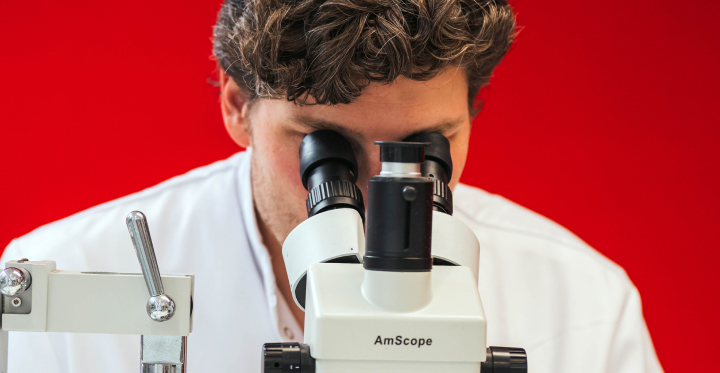
To limit the damage, we disassemble your Samsung and chemically clean the parts, such as the motherboard. This removes leftover moisture, salt and minerals and any corrosion that has already formed. We then dry your device carefully. Only then can we switch it on safely and test whether all parts work. Simply put, there are three possible outcomes:
- After the cleaning, the water damage is fully repaired and your Samsung works completely again.
- After the cleaning and diagnosis, one or more parts turn out to be permanently damaged and need to be replaced before your Samsung works fully again. Often this is the screen or the battery.
- The motherboard shows no sign of life, so we cannot test the other parts. If you want, we can then continue with a motherboard repair. This comes with additional costs.
After the cleaning you always hear first what we found and what a possible follow-up repair costs. You decide whether we continue.
Why no “no cure, no pay” for water damage?
For almost all our repairs you only pay if we fix it. A water damage cleaning and diagnosis, however, take a lot of time, whatever the outcome. That is why we charge a fixed amount starting at €59, even if your Samsung turns out to be beyond saving. Any parts that need to be replaced afterwards are quoted separately in advance.
What does a Samsung water damage repair cost?
The cleaning and diagnosis start at €59. What a possible follow-up repair costs depends on your model and on the parts that need to be replaced; you always hear that in advance.
Choose your series below and look up your model. Click on the price to go directly to that repair.
| Samsung S series | Water damage repair | Other repairs |
|---|---|---|
| Samsung Galaxy S26 Ultra | €89 | See all repairs |
| Samsung Galaxy S26 Plus | €89 | See all repairs |
| Samsung Galaxy S26 | €89 | See all repairs |
| Samsung Galaxy S25 Edge | €89 | See all repairs |
| Samsung Galaxy S25 Ultra | €89 | See all repairs |
| A Series | Water damage repair | Other repairs |
|---|---|---|
| Samsung Galaxy A90 (5G) | €59 | See all repairs |
| Samsung Galaxy A80 | €59 | See all repairs |
| Samsung Galaxy A72 | €59 | See all repairs |
| Samsung Galaxy A71 | €59 | See all repairs |
| Samsung Galaxy A70 | €59 | See all repairs |
| Z Series (Flip & Fold) | Water damage repair | Other repairs |
|---|---|---|
| Samsung Galaxy Z Fold 8 Ultra | €89 | See all repairs |
| Samsung Galaxy Z Fold 8 | €89 | See all repairs |
| Samsung Galaxy Z Flip 8 | €89 | See all repairs |
| Samsung Galaxy Z Fold 7 | €89 | See all repairs |
| Samsung Galaxy Z Flip 7 FE | €89 | See all repairs |
| Note Series | Water damage repair | Other repairs |
|---|---|---|
| Samsung Galaxy Note 20 Ultra (5G) | €89 | See all repairs |
| Samsung Galaxy Note 20 Ultra | €89 | See all repairs |
| Samsung Galaxy Note 20 | €89 | See all repairs |
| Samsung Galaxy Note 10 Plus | €89 | See all repairs |
| Samsung Galaxy Note 10 Lite | €89 | See all repairs |
How a water damage repair works at ThePhoneLab
Genuine Samsung parts
If a part needs to be replaced after the cleaning, for example the screen or the battery, we only use genuine Samsung parts. ThePhoneLab is a Samsung Independent Repair Provider, so you get the same part your Samsung was delivered with.
Warranty on water damage
We cannot give a warranty on a water damage repair. Even if your Samsung works again after the cleaning, parts can be invisibly damaged and still fail later. We simply do not always know exactly what the water has reached. Our specialist explains in advance what this means for your device.

Not sure if it is worth it?
Often it is. A cleaning is much cheaper than a new device, and if your Samsung switches on again, you can at least secure your photos and data. Come by and we will look together at what is possible.
Here you can get your Samsung cleaned after water damage
ThePhoneLab has stores throughout the Netherlands. That means there is always a branch near you where you can go quickly, and with water damage every day counts.

ThePhoneLab - Frederik Hendriklaan 142A
Frederik Hendriklaan 142A, 2582 BH Den Haag
Route
Claim the damage with your insurer
Water damage is often covered by your home contents or travel insurance. We are happy to help with the right documentation, an itemised quote and any additional information your insurer needs. That way you can file a claim quickly and easily and know exactly where you stand.
› Check whether your insurance contributes
Want to read for yourself what to do after water damage?
Read these pages first:
› Water damage: what to do and not to do right away
› Samsung does nothing anymore: this could be going on
› Samsung no longer starts up
› How your data stays safe during the repair
Still stuck? Make an appointment or get in touch.
Other common repairs
Frequently asked questions about Samsung water damage repair
-
My Samsung has just suffered water damage. What is the first thing I should do?
Switch off your Samsung right away, do not switch it back on and do not put it on the charger. Dry the outside and, if possible, remove your SIM card and case. Then come by as soon as possible for a cleaning. You can read more tips on our water damage page. Fingers crossed!
-
How much does a Samsung water damage repair cost?
-
How long does a water damage repair take?
-
Why does no cure, no pay not apply to water damage?
-
You don't give a warranty on a Samsung water damage repair. Why is that?
-
Can you save my photos and data?
-
Does putting my Samsung in rice help?
-
My Samsung is waterproof (IP68). Can it still have water damage?
-
My Samsung still works fine after the water. Should I still come by?
-
What if my Samsung does not switch on anymore after the cleaning?
-
Can I come by without an appointment with water damage?
-
Does my insurance cover water damage to my Samsung?
