
Chromebook repair
Stop by ThePhoneLab today for your Chromebook repair


Is your Chromebook screen cracked, does the battery drain fast or has the keyboard stopped working? At ThePhoneLab you can have your Chromebook repaired professionally, at one of our stores throughout the Netherlands. We repair Chromebooks from all major brands, such as Acer, ASUS, HP, Lenovo, Dell and Samsung. The repair itself usually takes one day. We only know which part your Chromebook needs after a diagnosis; the delivery time is usually 1 to 2 days, but this varies. The starting price is a minimum: we always tell you the price for your model in advance.
Click here for the price of your repair
Which Chromebook repair do you need?
How much does a Chromebook repair cost?
We repair a Chromebook under the brand on it, such as Acer, ASUS or HP. The table shows the starting price per brand for the most requested repairs. The starting price is a minimum: the price depends on things like the model, the part and the amount of work. After an initial diagnosis you always hear in advance what your repair costs. Click the price to go straight to that repair.
| Brand | Screen repair | Battery replacement | Keyboard repair | Other repairs |
|---|---|---|---|---|
| Acer | From €169 | From €129 | From €149 | See all repairs |
| ASUS | From €169 | From €129 | From €149 | See all repairs |
| Dell | From €169 | From €129 | From €149 | See all repairs |
| HP | From €169 | From €129 | From €149 | See all repairs |
| Lenovo | From €169 | From €129 | From €149 | See all repairs |
| MSI | From €169 | From €129 | From €149 | See all repairs |
| Samsung laptop | From €169 | From €129 | From €149 | See all repairs |
| Toshiba | From €169 | From €129 | From €149 | See all repairs |
Our Chromebook repair service
Chromebook screen repair
A cracked screen, lines on the display or a screen that stays black: we replace the screen of your Chromebook. Every model has its own size, resolution and connector, and sometimes a touchscreen, so we find the right screen for you and fit it with a warranty. Read more about screen repair.
Chromebook battery replacement
Does your Chromebook no longer last long on its battery, or does it no longer charge? Then we fit a new battery that matches exactly. Is the case bulging? Stop using your Chromebook and come by. Read more about battery replacement.
Chromebook keyboard repair
Do a few keys no longer work or does the whole keyboard not respond? We replace the keyboard. While the part is on its way, you can often take your Chromebook home and use an external keyboard. Read more about keyboard repair.
Chromebook water damage
Spilled water, coffee or tea on your Chromebook? Switch it off immediately, do not charge it and come by as soon as possible. We clean the inside of your Chromebook and tell you honestly what can still be saved. Read more about water damage.
Maintenance and other repairs
Does your Chromebook get hot or is the fan noisy? A thorough cleaning helps it cool better again. We also help you with the fan, the charging port and USB ports. Is your repair not listed, such as the touchpad, the speakers, the microphone, the webcam, the hinges, the headphone jack or the HDMI port? Feel free to ask our specialists about the options.
Which Chromebooks can you bring to us?
We repair Chromebooks from Acer, ASUS, Dell, HP, Lenovo and Samsung. You can also come to us with an MSI or Toshiba. Do you have a regular Windows laptop? Then take a look at laptop repair. Do you have a MacBook? Then read everything on our page about MacBook repair.
How long does a Chromebook repair take?
The repair itself usually takes one day. Most of the time goes into finding the right part, because almost every Chromebook model has its own parts. That is why we examine your Chromebook first. Once we know what is needed, the part usually arrives within 1 to 2 days, but this varies. You can often take your Chromebook home in the meantime. For a screen we sometimes have to disassemble the display to see which type is fitted; then taking it home is not always possible. We always tell you this in advance.
How a Chromebook repair works at ThePhoneLab

High-quality Chromebook parts
Every Chromebook model has its own parts. Where possible we choose an original part from the manufacturer, otherwise a high-quality part that we select carefully. That way your Chromebook works as it should again after the repair.
Lifetime warranty on your Chromebook repair
At ThePhoneLab you get a lifetime warranty on the functioning of almost every replaced part. A new battery comes with a 12-month warranty. If the part causes problems later because of our repair, we fix it for you free of charge. Damage from a new fall, knock or liquid is not covered by the warranty.

Still in doubt?
Having a broken Chromebook repaired is almost always cheaper than buying a new one. You keep your own Chromebook with all your settings, and it is better for the environment.
Together we extend the life of devices and reduce e-waste.
Find a Chromebook repair shop near you
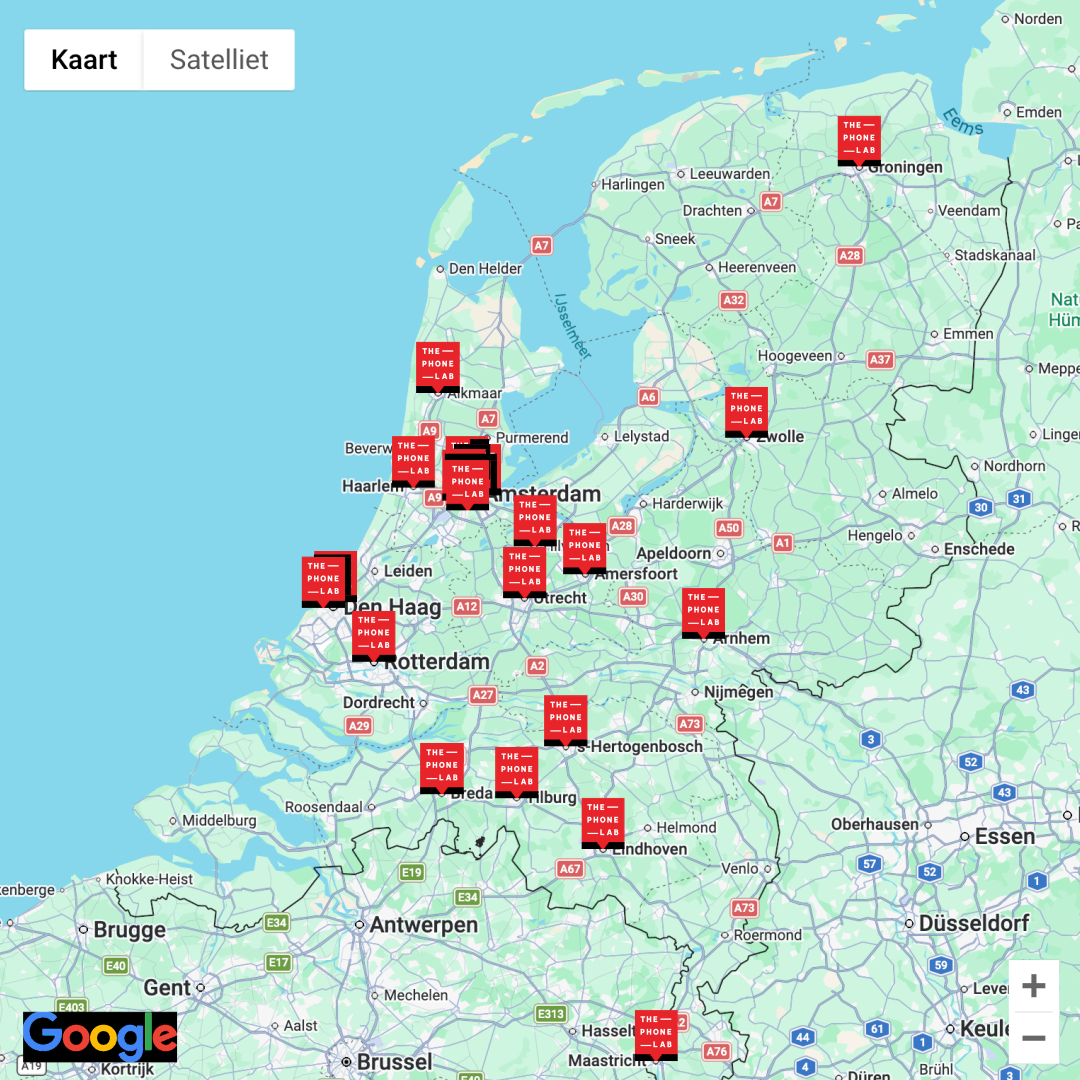
At one of our stores throughout the Netherlands, with or without an appointment. Use the map to find the store near you. No time to come by? Then use our mail-in repair service.
ThePhoneLab - Frederik Hendriklaan 142A
Frederik Hendriklaan 142A, 2582 BH Den Haag
Route
ThePhoneLab - Gijsbrecht van Amstelstraat 134
Gijsbrecht van Amstelstraat 134, 1214 BC Hilversum
Route
Claim the damage with your insurer
Did your Chromebook fall or get wet? You can often get (part of) the repair reimbursed through, for example, your home contents or all-risk insurance. On our website you can create a free repair quote yourself and submit it directly to your insurer.
› Check whether your insurance contributes

Want to find out yourself what is wrong with your Chromebook?
Read these pages first:
› Laptop won't boot up
› My laptop doesn't charge anymore
› Laptop screen stays black: now what?
› How your data stays safe during the repair
Still stuck? Make an appointment or get in touch.
Other common repairs
Frequently asked questions about Chromebook repair
-
How much does a Chromebook repair cost?
That depends on the repair, the model and the brand. The price table shows the starting price per brand. That is a minimum: after an initial diagnosis you always hear in advance what your repair costs.
-
How much does a Chromebook screen repair cost?
-
How long does a Chromebook repair take?
-
Which Chromebook brands do you repair?
-
Where can I find a Chromebook repair shop near me?
-
My Chromebook no longer charges. What now?
-
My Chromebook no longer switches on. Can you help?
-
Water has spilled on my Chromebook. What should I do?
-
I do not know what is wrong with my Chromebook. What now?
-
Will my files be kept?
-
What warranty do I get?
-
Can I come by without an appointment?
-
Can I also send my Chromebook in?
-
Does my manufacturer warranty expire if you open my Chromebook?
